Online Course
Data Preprocessing with NumPy

Master Python’s key NumPy package: Apply essential techniques for efficient data preprocessing and analysis


4.8

862 reviews on
25,655 students already enrolled
  • Institute of Analytics
  • The Association of Data Scientists
  • E-Learning Quality Network
  • European Agency for Higher Education and Accreditation
  • Global Association of Online Trainers and Examiners

Skill level:

Intermediate

Duration:

8 hours
  • Lessons (7 hours)
  • Practice exams (1.2 hours)

CPE credits:

12.5
CPE stands for Continuing Professional Education and represents the mandatory credits a wide range of professionals must earn to maintain their licenses and stay current with regulations and best practices. One CPE credit typically equals 50 minutes of learning. For more details, visit NASBA's official website: www.nasbaregistry.org

Accredited

certificate

What you learn

  • Add the NumPy library to your data analysis toolkit.
  • Learn how to install and import Python packages.
  • Gain proficiency in NumPy’s ndarray.
  • Explore various techniques to clean and preprocess data.
  • Solve real-world data preprocessing problems using NumPy.

Topics & tools

PythonProgrammingData AnalysisData ProcessingNumpyData Preprocessing

Your instructor

Course OVERVIEW

Description

CPE Credits: 12.5 Field of Study: Information Technology
Delivery Method: QAS Self Study
This course is designed to show you how to work with one of Python’s fundamental packages – NumPy. You will learn what a “package” is and see how to install, upgrade and import it. By the time you finish the course, you’ll be comfortable with NumPy’ ndarray class, how to slice and reduce the dimensions of its instances, as well as how to quickly refer to the documentation. Furthermore, you’ll be ready to take advantage of NumPy’s various built-in functions and methods, which we’ll use to generate random and non-random data, import and export data to and from Python, find statistical values for a dataset, and clean and preprocess ndarrays.

Prerequisites

  • Python (version 3.8 or later), NumPy library, and a code editor or IDE (e.g., Jupyter Notebook, Spyder, or VS Code)
  • Completion of an introductory Python course is required.
  • Mathematics

Curriculum

68 lessons 85 exercises 5 exams
  • 1. Introduction to NumPy
    20 min
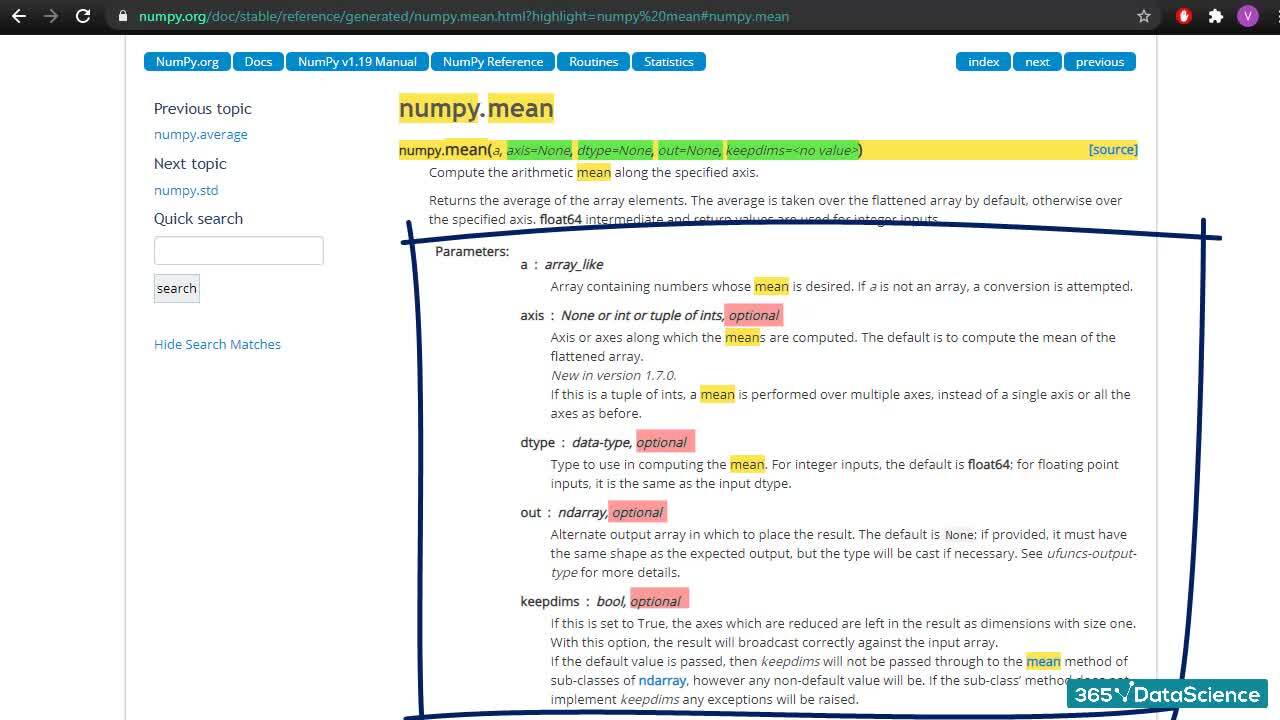
    This introductory section presents the NumPy package and its applications. You’ll learn how to install and upgrade NumPy, before quickly learning about its most important assets – “arrays”. We’ll also go over how to use the documentation - an extremely useful component for our work later on in the course.
    20 min
    This introductory section presents the NumPy package and its applications. You’ll learn how to install and upgrade NumPy, before quickly learning about its most important assets – “arrays”. We’ll also go over how to use the documentation - an extremely useful component for our work later on in the course.
    Course Introduction Free
    The NumPy Package and Its Applications Free
    Installing and Upgrading NumPy Free
    Exercise Free
    What is an array? Free
    Exercise Free
    Coding exercise Free
    Using The NumPy Documentation Free
    Exercise Free
    Frequently Asked Questions Free
  • 2. Why do we use NumPy?
    20 min
    This section follows NumPy’s role in the development of Python and takes a closer look at ndarrays. We discuss what makes them so useful and compare them to another similarly-looking data structure – NumPy lists.
    20 min
    This section follows NumPy’s role in the development of Python and takes a closer look at ndarrays. We discuss what makes them so useful and compare them to another similarly-looking data structure – NumPy lists.
    History of NumPy Free
    Exercise Free
    Ndarrays Free
    Coding exercise Free
    Arrays vs Lists Free
    Exercise Free
    Coding exercise Free
  • 3. NumPy Fundamentals
    29 min
    Here, we focus on the basic NumPy syntax. You’ll learn about “indexing” and the different ways of assigning values to an array. This section also explains the elementwise properties of arrays, as we go over the different types of data we can store in them. In addition, we’ll take a look at some of the most important characteristics and properties of NumPy functions.
    29 min
    Here, we focus on the basic NumPy syntax. You’ll learn about “indexing” and the different ways of assigning values to an array. This section also explains the elementwise properties of arrays, as we go over the different types of data we can store in them. In addition, we’ll take a look at some of the most important characteristics and properties of NumPy functions.
    Indexing
    Exercise
    Coding exercise
    Assigning Values
    Coding exercise
    Elementwise Properties
    Coding exercise
    Types of Data Supported by NumPy
    Exercise
    Characteristics of NumPy Functions - Part 1
    Characteristics of NumPy Functions - Part 2
    Coding exercise
    Exercise
  • 4. Working with Arrays
    27 min
    This section explores the concept of slicing and how its many variations can be applied to ndarrays. You’ll grasp what “dimensions” are when it comes to arrays and learn how the “reduce” function and method work.
    27 min
    This section explores the concept of slicing and how its many variations can be applied to ndarrays. You’ll grasp what “dimensions” are when it comes to arrays and learn how the “reduce” function and method work.
    Basic Slicing
    Coding exercise
    Stepwise Slicing
    Coding exercise
    Conditional Slicing
    Coding exercise
    Dimensions and the Squeeze Function
    Exercise
    Practice exam
  • 5. Generating Data with NumPy
    32 min
    This part of the course explains how to generate arrays of random and non-random data. We begin by creating “empty” arrays, as well as basic arrays of 1s and 0s, before moving on to random generators. Then, we introduce NumPy’s capabilities of generating pseudo-random data pulled from a probability distribution. The section concludes with the applications of generating pseudo-random data.
    32 min
    This part of the course explains how to generate arrays of random and non-random data. We begin by creating “empty” arrays, as well as basic arrays of 1s and 0s, before moving on to random generators. Then, we introduce NumPy’s capabilities of generating pseudo-random data pulled from a probability distribution. The section concludes with the applications of generating pseudo-random data.
    Arrays of 0s and 1s
    Coding exercise
    "_like" functions in NumPy
    Coding exercise
    A Non-Random Sequence of Numbers
    Exercise
    Random Generators and Seeds
    Coding exercise
    Exercise
    Basic Random Functions in NumPy
    Coding exercise
    Coding exercise
    Probability Distributions in NumPy
    Exercise
    Coding exercise
    Applications of Random Data in NumPy
    Practice exam
  • 6. Importing and Saving Data with NumPy
    39 min
    This part of the course explains how to generate arrays of random and non-random data. We begin by creating “empty” arrays, as well as basic arrays of 1s and 0s, before moving on to random generators. Then, we introduce NumPy’s capabilities of generating pseudo-random data pulled from a probability distribution. The section concludes with the applications of generating pseudo-random data.
    39 min
    This part of the course explains how to generate arrays of random and non-random data. We begin by creating “empty” arrays, as well as basic arrays of 1s and 0s, before moving on to random generators. Then, we introduce NumPy’s capabilities of generating pseudo-random data pulled from a probability distribution. The section concludes with the applications of generating pseudo-random data.
    np.loadtxt() vs np.genfromtxt()
    Coding exercise
    Simple Cleaning when Importing
    Coding exercise
    String vs Object vs Numbers
    Coding exercise
    Exercise
    np.save()
    np.savez()
    np.savetxt()
    Exercise
  • 7. Statistics with NumPy
    42 min
    In this section of the course, we focus on importing and exporting, also known as saving data using the NumPy package. We discuss the differences between “np.loadtxt()” and “np.genfromtxt()” and their applications. We’ll examine NumPy’s capabilities to partially clean datasets as we import them. Later in the section, you’ll learn why you need to import a file into a specific datatype and how choosing the incorrect one can affect your results. We continue with the topic of saving ndarrays to external files where you’ll discover what N-P-Y and N-P-Z files are and when (and how) to export arrays in those formats. Finally, we provide you with a more conventional approach and showcase how to save arrays as text files.
    42 min
    In this section of the course, we focus on importing and exporting, also known as saving data using the NumPy package. We discuss the differences between “np.loadtxt()” and “np.genfromtxt()” and their applications. We’ll examine NumPy’s capabilities to partially clean datasets as we import them. Later in the section, you’ll learn why you need to import a file into a specific datatype and how choosing the incorrect one can affect your results. We continue with the topic of saving ndarrays to external files where you’ll discover what N-P-Y and N-P-Z files are and when (and how) to export arrays in those formats. Finally, we provide you with a more conventional approach and showcase how to save arrays as text files.
    Using Statistical Functions in NumPy
    Coding exercise
    Minimal and Maximal Values in NumPy
    Coding exercise
    Statistical Order Functions in NumPy
    Coding exercise
    Exercise
    Averages and Variance in NumPy
    Coding exercise
    Covariance and Correlation in NumPy
    Coding exercise
    Exercise
    Histograms in NumPy (Part 1)
    Histograms in NumPy (Part 2)
    NAN Equivalent Functions in NumPy
    Exercise
    Practice exam
  • 8. Data Manipulation with NumPy
    95 min
    This section revolves around NumPy’s capabilities to compute important characteristics or statistics from an array. These include minimal and maximal values, various forms of averages, covariances, correlations as well as histograms. In addition, you’ll also learn about nan equivalent functions and how to use them.
    95 min
    This section revolves around NumPy’s capabilities to compute important characteristics or statistics from an array. These include minimal and maximal values, various forms of averages, covariances, correlations as well as histograms. In addition, you’ll also learn about nan equivalent functions and how to use them.
    Checking for Missing Values in Ndarrays
    Coding exercise
    Substituting Missing Values in Ndarrays
    Coding exercise
    Exercise
    Reshaping Ndarrays
    Removing Values from Ndarrays
    Coding exercise
    Sorting Ndarrays
    Exercise
    Argument Sort in NumPy
    Argument Where in NumPy
    Coding exercise
    Shuffling Ndarrays
    Casting Ndarrays
    Exercise
    Striping Values from Ndarrays
    Stacking Ndarrays
    Coding exercise
    Coding exercise
    Concatenating Ndarrays
    Finding Unique Vaules in Ndarrays
    Practice exam
  • 9. A Loan Data Practical Example with NumPy
    88 min
    In this part of the NumPy course, we explore ways to clean and preprocess data in NumPy. You’ll understand how to find and fill missing values, reshape an array, delete excess data as well as sort, shuffle and cast ndarrays. The section also explains what argument functions are and why they are so useful, and introduces ways to combining arrays by stacking and concatenating them. Finally, you’ll discover how to extract the unique values of an array and why this can be important for your analysis.
    88 min
    In this part of the NumPy course, we explore ways to clean and preprocess data in NumPy. You’ll understand how to find and fill missing values, reshape an array, delete excess data as well as sort, shuffle and cast ndarrays. The section also explains what argument functions are and why they are so useful, and introduces ways to combining arrays by stacking and concatenating them. Finally, you’ll discover how to extract the unique values of an array and why this can be important for your analysis.
    Setting Up: Introduction to the Practical Example
    Setting Up: Importing the Data Set
    Setting Up: Checking for Incomplete Data
    Setting Up: Splitting the Dataset
    Setting Up: Creating Checkpoints
    Manipulating Text Data: Issue Date
    Manipulating Text Data: Loan Status and Term
    Manipulating Text Data: Grade and Sub Grade
    Manipulating Text Data: Verification Status & URL
    Manipulating Text Data: State Address
    Manipulating Text Data: Converting Strings and Creating a Checkpoint
    Manipulating Numeric Data: Substitute Filler Values
    Manipulating Numeric Data: Currency Change – The Exchange Rate
    Manipulating Numeric Data: Currency Change - From USD to EUR
    Completing the Dataset:
  • 10. Course exam
    70 min
    70 min
    Course exam

Free lessons

Course Introduction

1.1 Course Introduction

5 min

The NumPy Package and Its Applications

1.2 The NumPy Package and Its Applications

4 min
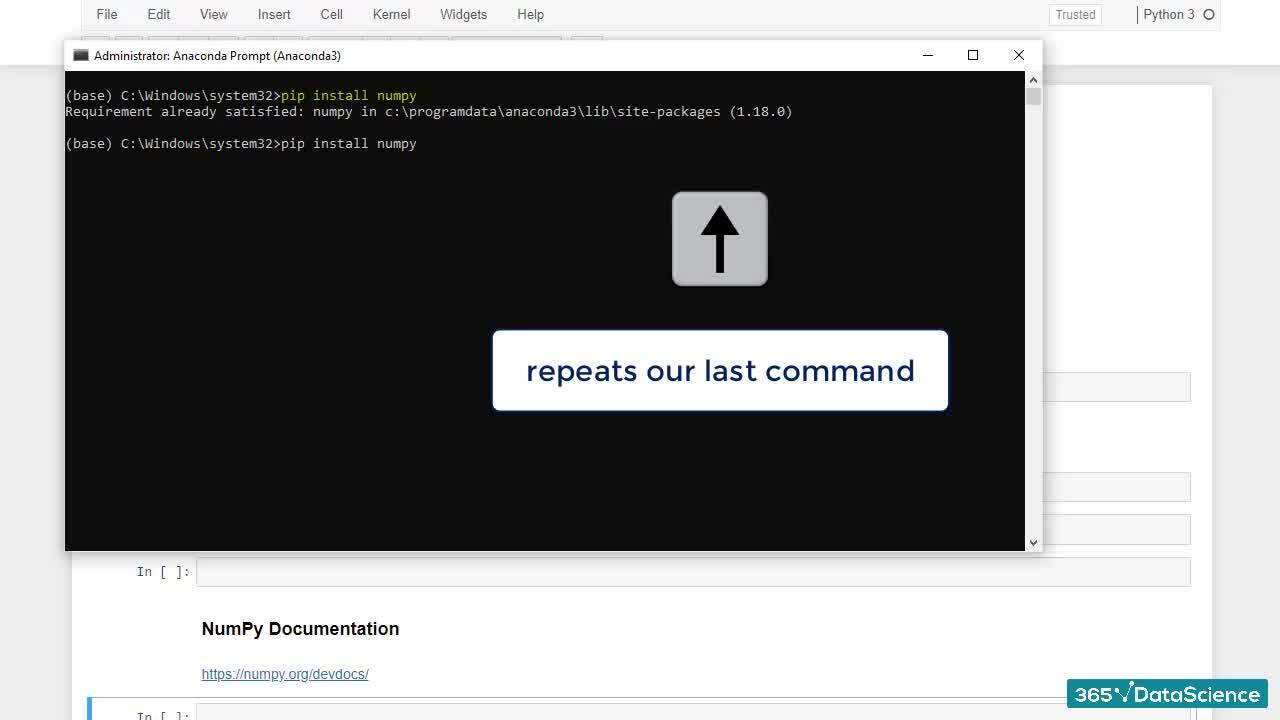
Installing and Upgrading NumPy

1.3 Installing and Upgrading NumPy

2 min
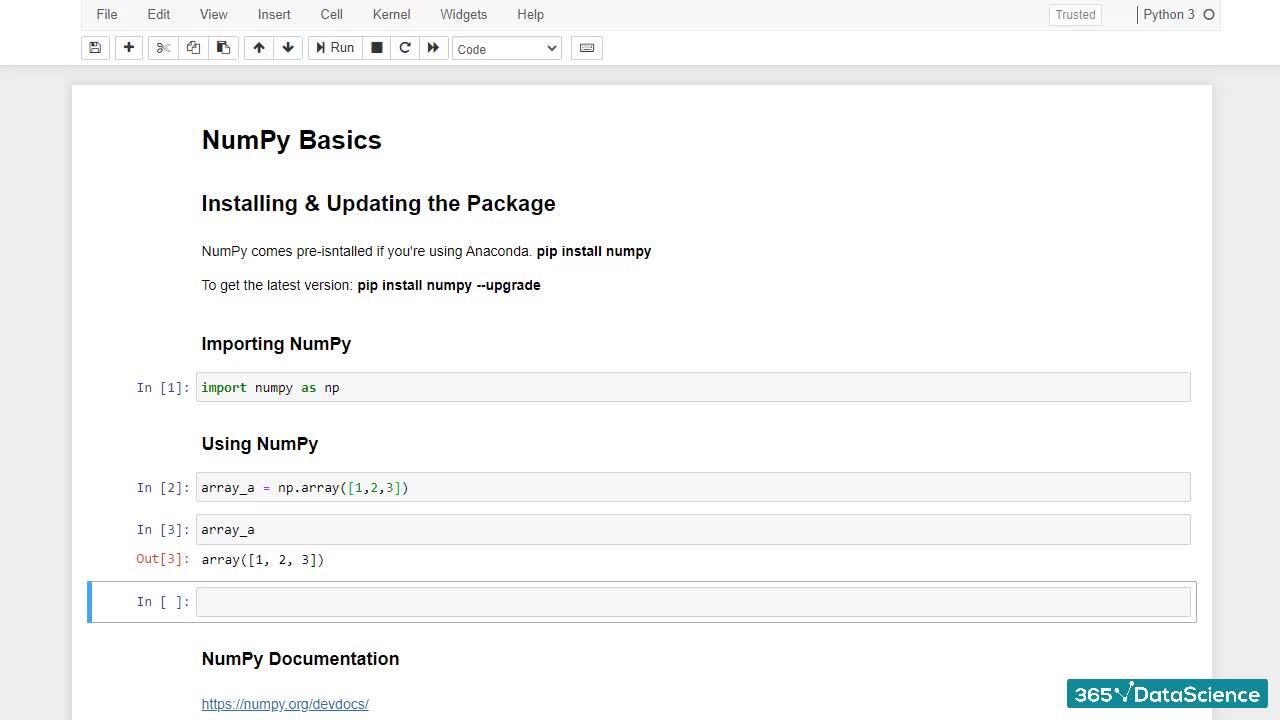
What is an array?

1.5 What is an array?

3 min

Using The NumPy Documentation

1.8 Using The NumPy Documentation

5 min
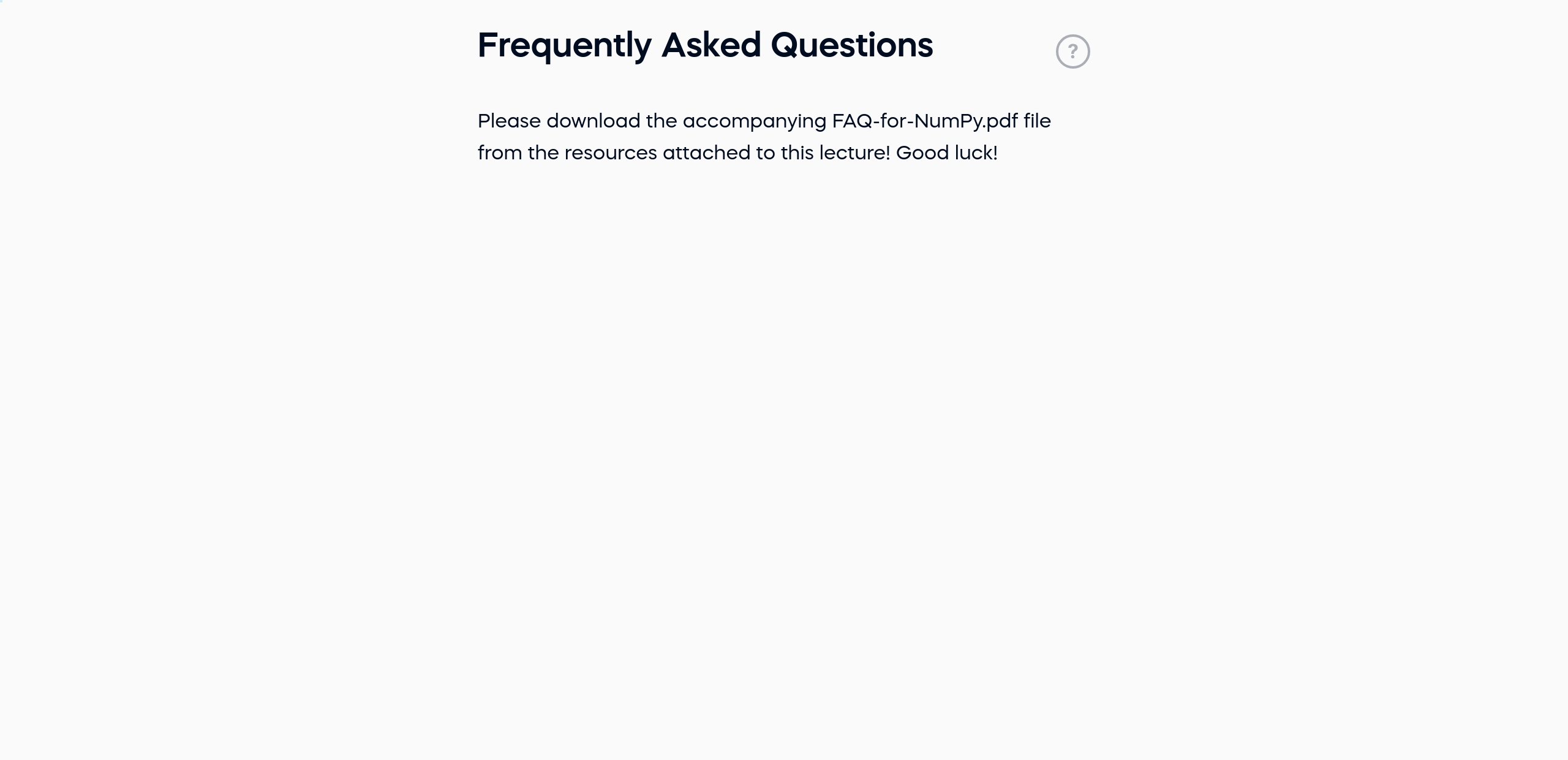
Frequently Asked Questions

1.10 Frequently Asked Questions

1 min

Start for free

$29,000

average salary increase

after moving to an AI and data science career

96%

of our students recommend

365 Data Science.

94%

of AI and data science graduates

successfully change

or advance their careers.

ACCREDITED certificates

Craft a resume and LinkedIn profile you’re proud of—featuring certificates recognized by leading global institutions.

Earn CPE-accredited credentials that showcase your dedication, growth, and essential skills—the qualities employers value most.

  • Institute of Analytics
  • The Association of Data Scientists
  • E-Learning Quality Network
  • European Agency for Higher Education and Accreditation
  • Global Association of Online Trainers and Examiners

Certificates are included with the Self-study learning plan.

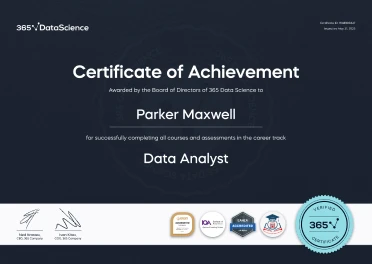
A LinkedIn profile mockup on a mobile screen showing Parker Maxwell, a Certified Data Analyst, with credentials from 365 Data Science listed under Licenses & Certification. A 365 Data Science Certificate of Achievement awarded to Parker Maxwell for completing the Data Analyst career track, featuring accreditation badges and a gold “Verified Certificate” seal.

How it WORKS

  • Lessons
  • Exercises
  • Projects
  • Practice exams
  • AI mock interviews

Lessons

Learn through short, simple lessons—no prior experience in AI or data science needed.

Try for free

Exercises

Reinforce your learning with mini recaps, hands-on coding, flashcards, fill-in-the-blank activities, and other engaging exercises.

Try for free

Projects

Tackle real-world AI and data science projects—just like those faced by industry professionals every day.

Try for free

Practice exams

Track your progress and solidify your knowledge with regular practice exams.

Try for free

AI mock interviews

Prep for interviews with real-world tasks, popular questions, and real-time feedback.

Try for free

Student REVIEWS

A collage of student testimonials from 365 Data Science learners, featuring profile photos, names, job titles, and quotes or video play icons, showcasing diverse backgrounds and successful career transitions into AI and data science roles.